For your digital project to be a success, you will need one or more WordPress experts. But how do you recognize these rare gems? What skills and qualities are required to be defined as an “expert”? And above all, what type of expert do you need for your project? Launching your WordPress site means relying on a developer, a graphic designer, a copywriter, an SEO consultant, and a maintenance technician.
And while you’re at it, you might as well work only with WordPress maintenance experts!
A WordPress expert is generally expected to have several qualities:
- Possess very in-depth theoretical and practical knowledge of a subject;
- Be able to communicate with non-experts: an expert must be able to answer your questions in a simple and precise way;
- Continue to train continuously on the subject and closely follow market developments;
- Be responsive and provide an almost immediate solution when a problem arises;
- Be honest, independent, and technically impeccable.
Why use a WordPress expert?
Quite simply to have peace of mind by delegating the creation and maintenance of your website to an expert, and thus be able to focus on the rest of your business.
WordPress is a CMS (content management system) that is so simple and intuitive that you might almost be tempted to manage everything yourself. However, things can quickly go wrong…
First of all, the WordPress core is constantly evolving thanks to improvements from the WordPress Core team. It is therefore a living ecosystem that must be updated regularly. A simple oversight on your part could allow a hacker to exploit this vulnerability and hack your WordPress site.
In addition, where there is an “ecosystem,” there is also a range of plugins created by multiple developers, and therefore an increased risk of incompatibility between them. A simple conflict can turn into a bug and affect the proper functioning of your site—or even make it inaccessible.
A freelance WordPress specialist or an expert WordPress agency?
By working with a WordPress expert web agency, you are more likely to have WordPress experts who are used to working together. In general, you will have access to a graphic designer, a copywriter, an SEO specialist, a maintenance technician and, of course, a developer. All these expert roles are very different, but they are nevertheless interconnected: imagine a freelance graphic designer creating the design of your dreams. With your mockups in hand, you will then need to look for a webmaster to integrate the design. Next, you will look for a maintenance expert, who must themselves understand what the developer has done, etc.
Ultimately, you will need to recruit 4 experts with different contracts, not to mention that all these recruitment processes take a tremendous amount of time. Perhaps an agency made up directly of experts could prove more effective?
In any case, WordPress is a fantastic tool for establishing an online presence and making your site stand out in the best possible way. But your website still needs to be in the right hands.
Here are our 16 tips for choosing the right next WordPress expert for your business
1. Go through the expert’s website with a fine-tooth comb
First of all, the excuse that the shoemaker’s children go barefoot is not acceptable for a WordPress expert. An expert’s website must be flawless: fast, attractive, secure, free of spelling mistakes, and with impeccable usability. An expert’s site will always have an effective structure so as not to confuse a potential client. Ultimately, just picture yourself with it: would you want the same type of website for yourself? If the answer is a resounding no, then move on.
2. Browse their portfolio and completed projects (including the mobile version)
A WordPress expert will be proud of their projects and will have no hesitation in sharing their work with the general public. It is therefore essential to browse through all of an expert’s completed projects in order to get to know them better. In addition, among their portfolio, do you like the different designs? Do you see advanced features? Or even sites with WooCommerce offering integrated payment?
Let’s say that if you want to launch an online real estate agency and the expert has already built 5 of them, that’s a pretty good sign! It means they already know the industry and that complex projects with a search system, a map, or custom post types don’t scare them.
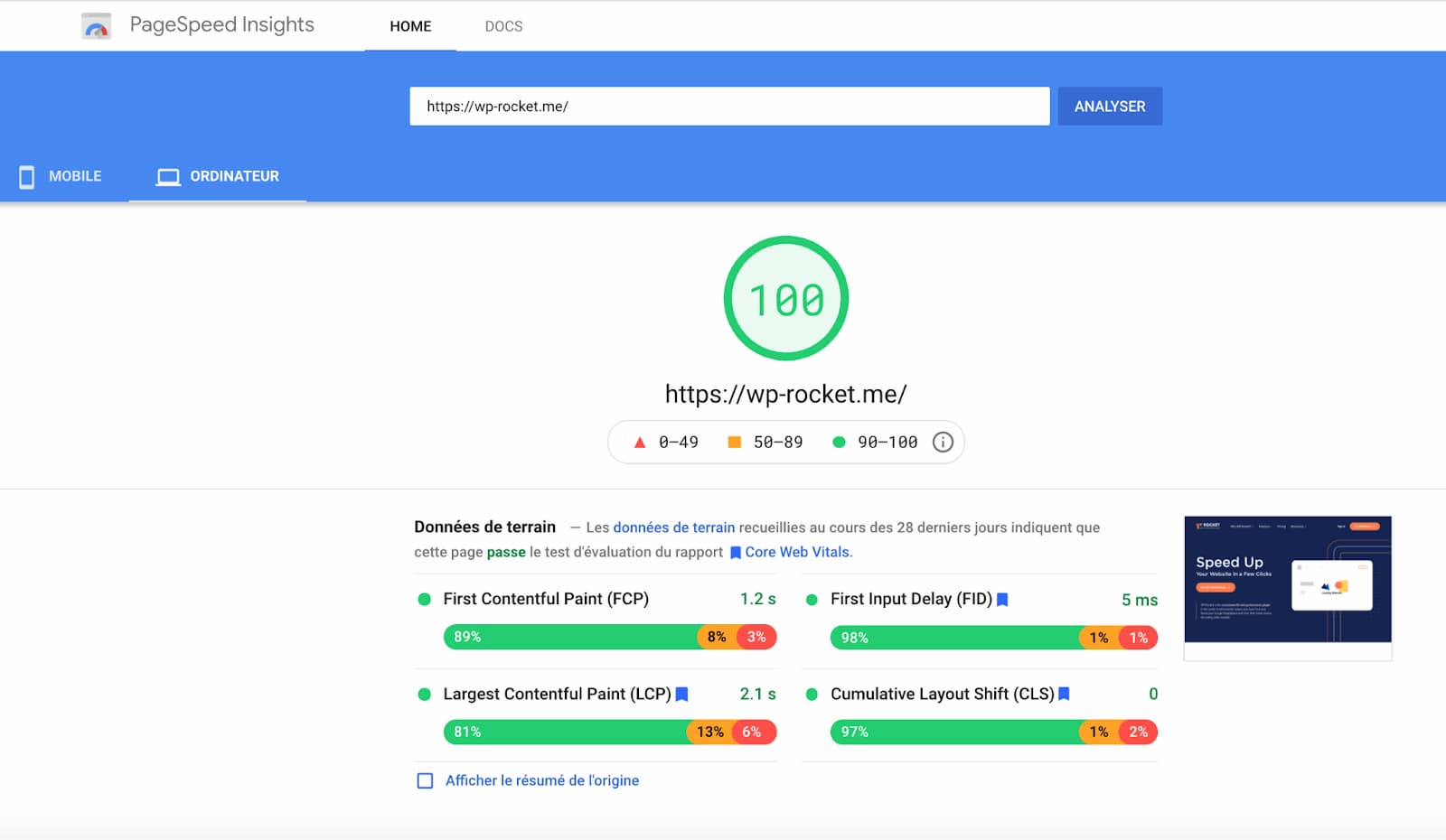
Also remember to interact with the sites created by the expert from your mobile device. Also test the sites’ performance with Google PageSpeed Insights and look at their scores.
Performance optimization must be an integral part of a WordPress expert’s knowledge. For example, the WP Rocket caching plugin promises to make your WordPress site faster. When you look at their excellent score on Google PageSpeed Insights, their credibility is immediately strengthened:
3. Read their clients’ testimonials
You will be working with your expert over the long term, so it is important to know what others think of their way of working and the results achieved.
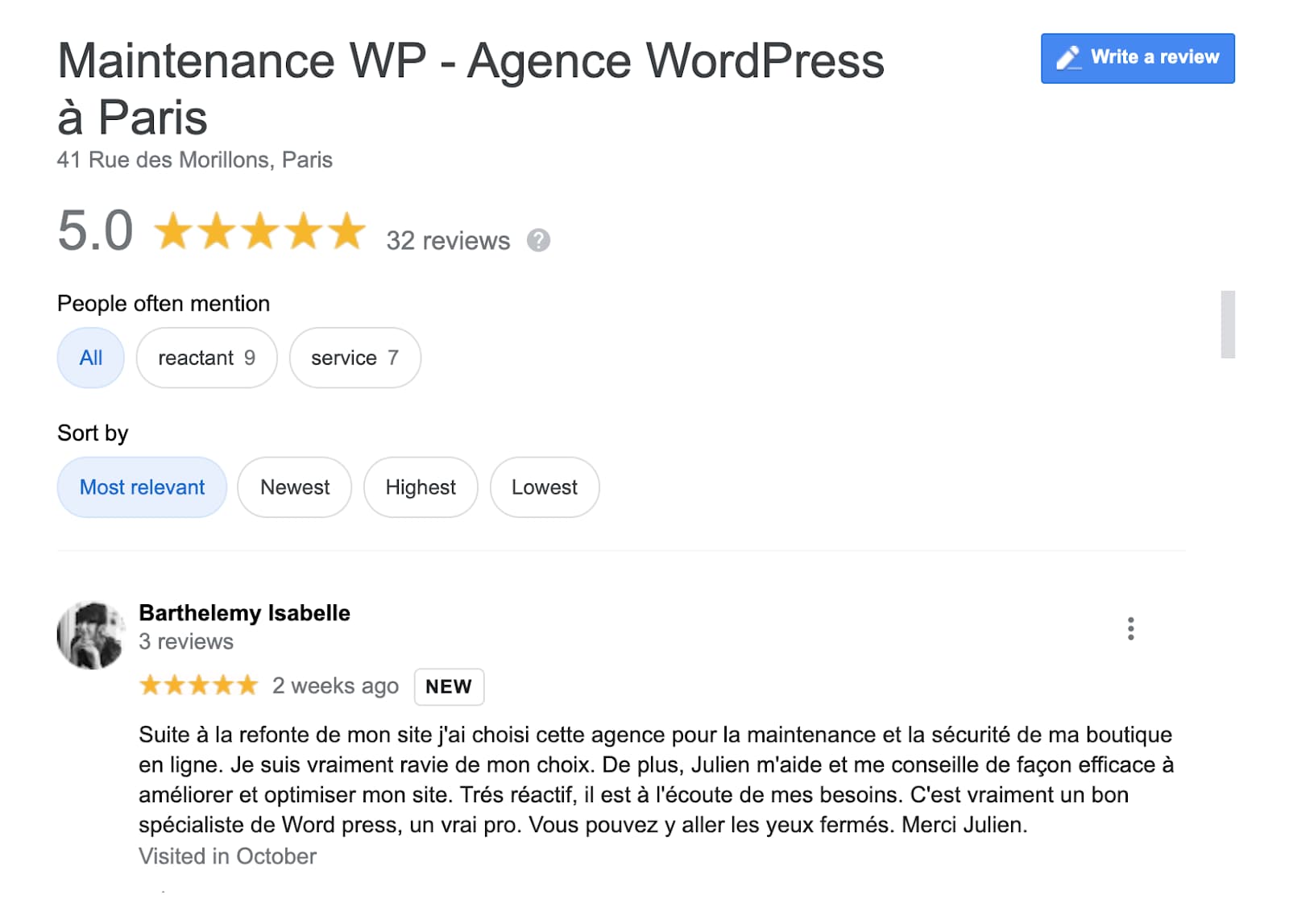
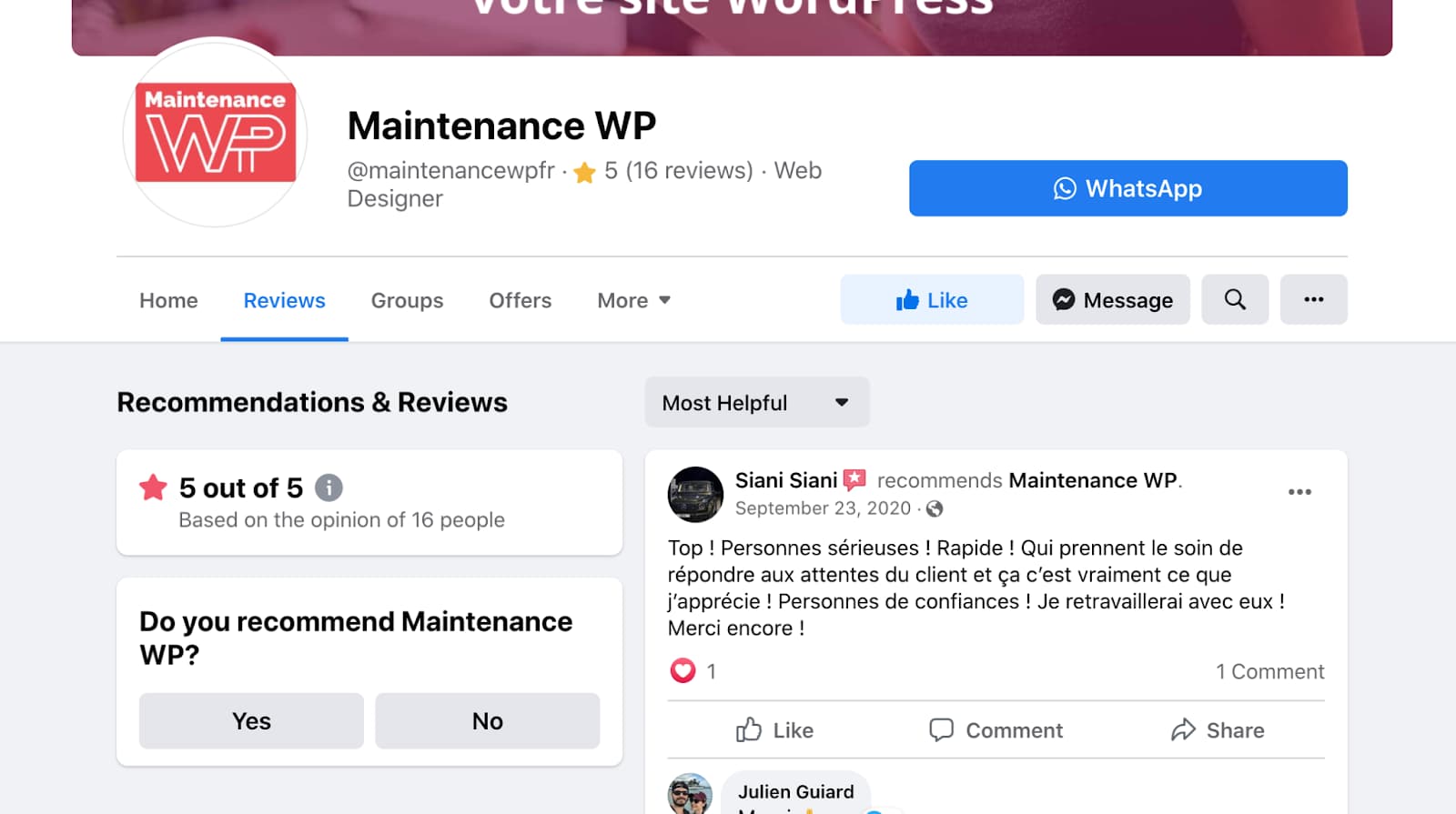
Don’t rely only on the expert’s website; continue your research on other platforms such as UpWork, Fiverr, or even Google and Facebook:
| Check the Google reviews and the rating out of 5 | Check the Facebook reviews and the rating out of 5 |
 |  |
4. Check how long they have been using WordPress (to gauge their experience)
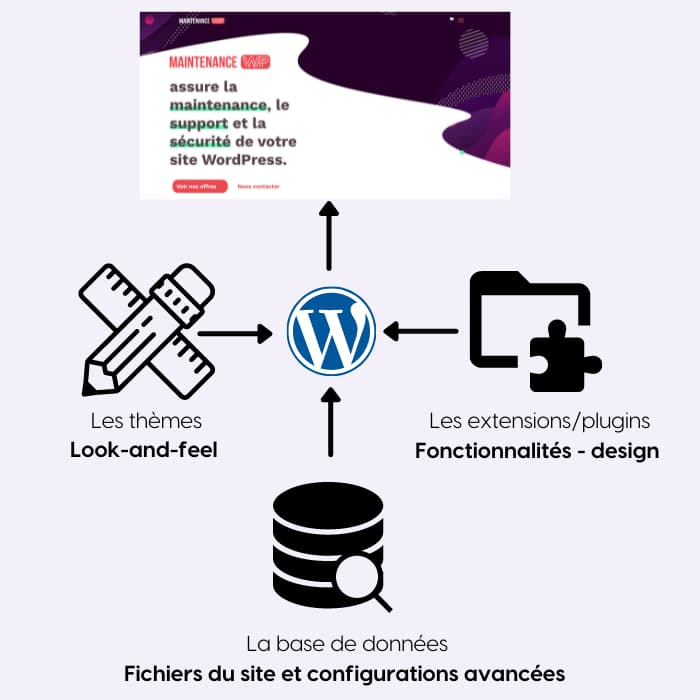
Let’s take my example. I have been a writer and WordPress specialist for 8 years, so I know the CMS, plugins, themes, and community very well. I have even created small showcase websites for my family thanks to incredible tools like Elementor or Divi. However, that does not make me an expert in WordPress development because I am far from mastering PHP or JavaScript. The problem is that you will come across many WordPress professionals on the market who consider themselves “development experts”. You need to be cautious because simply knowing how to install a theme or a plugin is not enough to qualify as an expert. Indeed, you also need to understand the database, PHP, and all the other advanced configurations related to WordPress, as we have outlined below:
5. A valuable bonus: being part of the WordPress community
How can you tell if an expert is an integral part of the WordPress community?
- You will see their name as a speaker or sponsor at WordCamps;
- Their e-reputation on popular blogs such as Divi Community or WPMarmite is also a good indicator. Has the expert published tutorials or blog posts intended to enrich the resources around WordPress?
- They organize “meetup”-style events around WordPress in their city; a WordPress specialist will contribute even on a small scale.
- On their website, the expert often has a “partners” section with logos and promotional codes from the biggest WordPress references.
Let’s do a quick test with Maintenance WP to measure its involvement in the WordPress community.
The footer should immediately catch your attention.

We have been established for almost 5 years and we are members of the WPFR and WP Paris associations. We also have the famous “partners” section with the logos of the “big ones” present in the WordPress ecosystem. Our site is hosted by Kinsta, which is a premium hosting provider dedicated to WordPress with an excellent reputation for performance and security.
We are involved in the community and we do not compromise on quality.
These are precisely the kind of reliability indicators you would want to find in a WordPress expert. What do you think?
6. Ask them whether they could potentially provide you with a custom solution
Sometimes, you will have a very specific project in mind that cannot be covered by a plugin. Creating a custom solution should be technically feasible for an expert.
For example, if you are going to use WooCommerce, there is a whole series of actions and “hooks” to know in order to insert custom code in different places; a WordPress expert will necessarily be familiar with all this jargon. Ask them to explain it to you.
Vous avez un projet e-commerce sur WordPress ?
Maintenance WP vous accompagne dans toutes les étapes de création de votre boutique en ligne.
Finally, a WordPress expert will always try to limit the number of plugins on your WordPress site. If your “expert” is trying to install 30 plugins for a simple brochure site: red alert.
7. Find out about their SEO skills
Creating a WordPress site is a good start, but if no one can find it, you will spend your marketing budget in vain. In your contract, make sure the expert includes an SEO strategy. You should see terms such as “definition of the most relevant keywords,” “creation of SEO content tailored to the keywords,” or “complete site audit and competitor analysis.” If they are not there, ask for an additional quote, because you absolutely need support for your WordPress SEO.
8. Ask about their design skills
Make a shortlist of several websites that inspire you and share your list with the expert. Dribbble is an excellent source of inspiration for choosing the visual identities that suit you best.
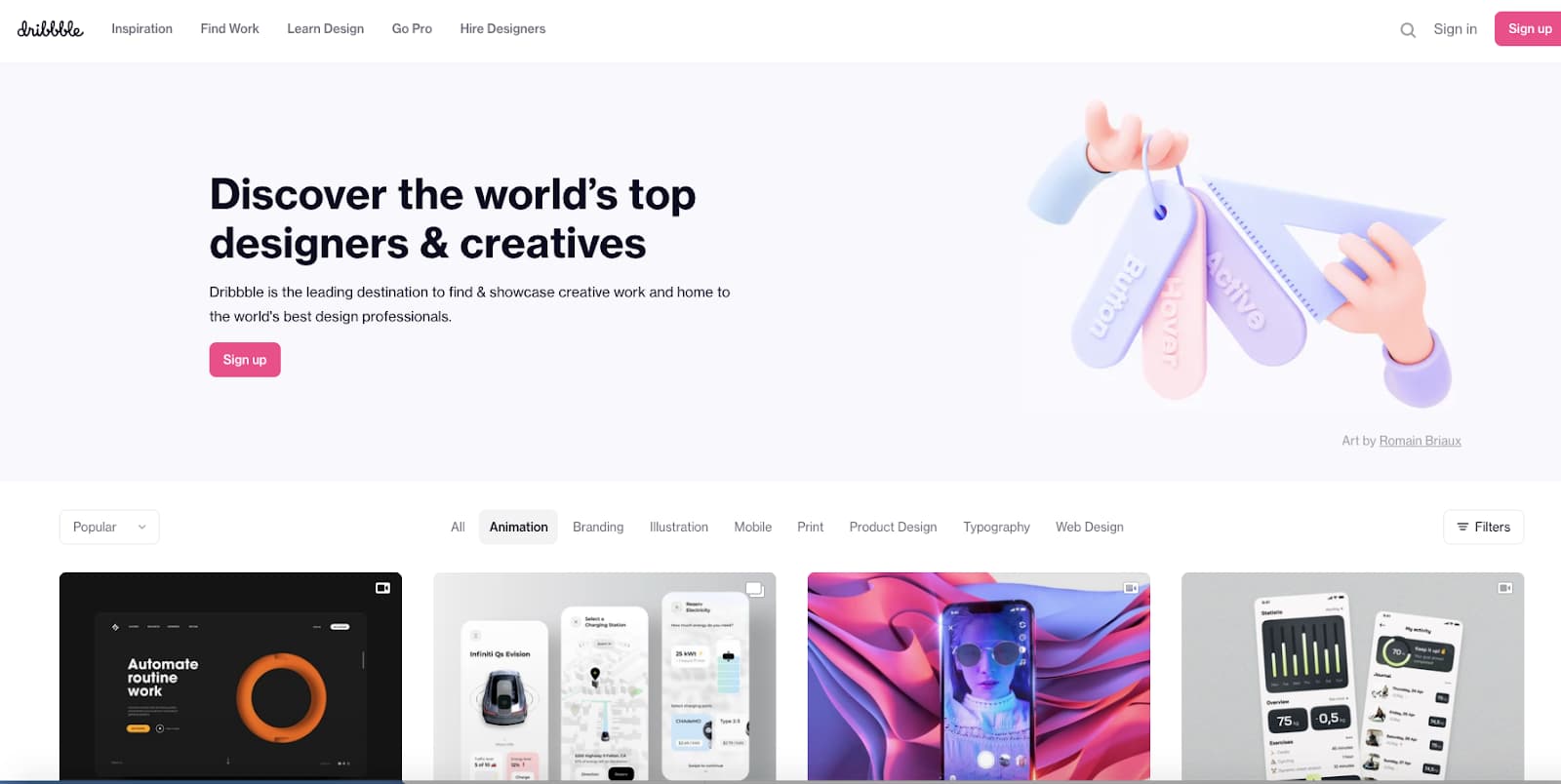
If the expert does not feel able to reproduce a particular design, look for another one.
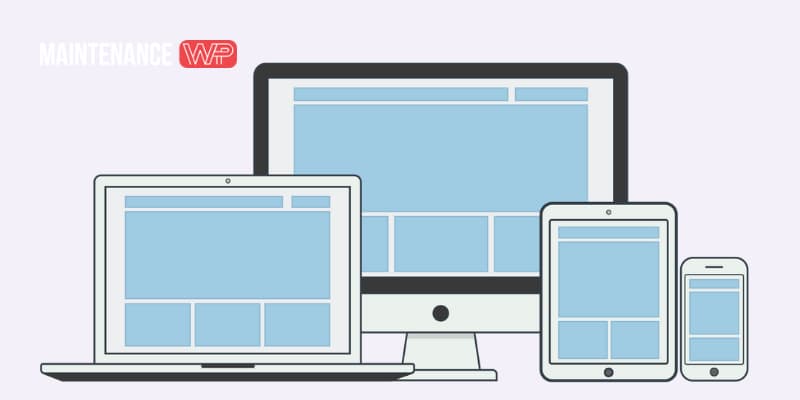
Finally, an expert graphic designer will think in terms of a “mobile-first” approach so that the site is responsive and displays perfectly on a smartphone or tablet. It is important to validate your site’s design on several screens before starting development.
9. Share your web marketing strategy
Your WordPress site is the interface between you and your customers; it is an essential tool that allows you to communicate with them. Your marketing objectives will therefore determine your site’s key features. Here are a few examples showing how an objective can impact your site.
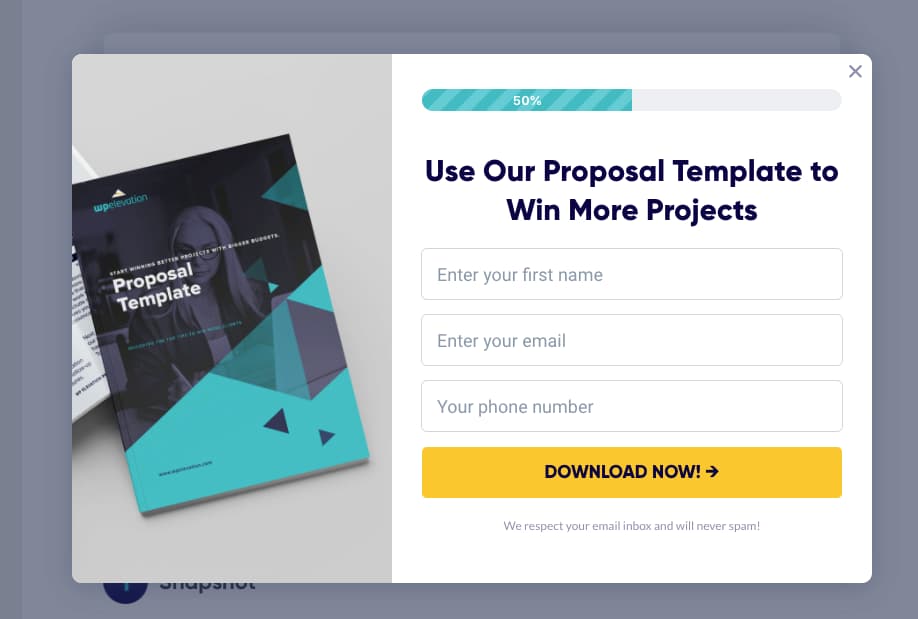
Imagine that your marketing goal is to capture emails by offering your visitors an ebook to download. How will the email be captured? Will the WordPress expert be able to integrate your CRM? They should naturally ask you what your CRM is in order to connect the API to your WordPress site.
A good WordPress expert will also play the role of an integrator, because they will need to be the bridge between the web solution and the tools already in place within client companies.
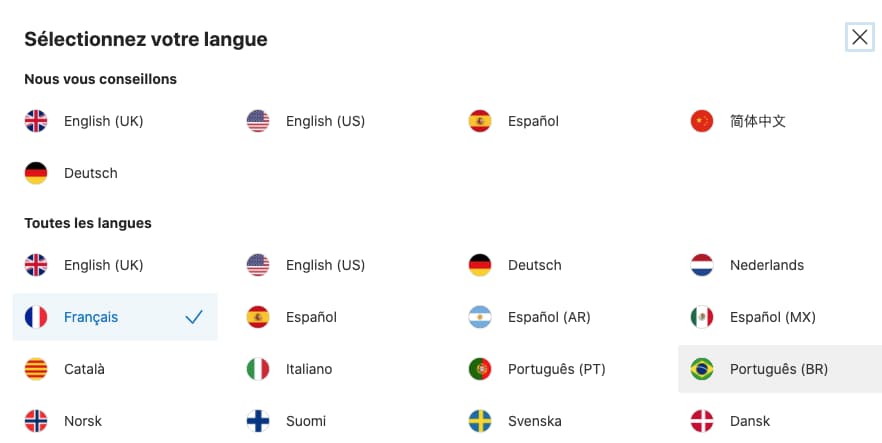
The same applies if your marketing strategy includes international expansion within the next 6 months. If you plan to sell your products in England soon, you will certainly need to choose a multilingual site. Talk to your expert about it and make sure to validate the multilingual integration with them.
Another similar example that can be cited in web marketing: seasonal marketing. You will certainly prepare your campaigns with special offers for Valentine’s Day, Black Friday, or the end-of-year holidays. You will therefore need to add new content to your site to celebrate each occasion. For example, the Shein.fr website has a temporary banner presenting the new autumn collection as well as a top bar with a countdown indicating free delivery for another 9 h 05 m and 13s.

If you opt for this seasonal marketing, who is responsible for changing the banners and removing the promotions? Is it your responsibility or the expert’s?
10. Validate the process for adding or removing content: the day-to-day life of your site
You will inevitably have to add or remove content on your WordPress site. Who will handle this management? Remember to confirm with the expert which scenario applies to your contract:
- Either they train you so that you can publish new content completely independently;
- Or they do it for you, and in that case the costs generated by these changes must be defined in the quote. This may be an hourly rate, a project-based rate, or monthly maintenance.
It is the same with blog posts. If you need to publish articles, specify who will post them and who will handle the formatting in WordPress.
11. Define the initial fixed costs and recurring fees (monthly/annual)
Avoid monthly website creation offers that delete your website the day you stop paying. It is essential to remain the owner of your WordPress site because you do not know what the future holds. You might change providers, or your expert might go out of business. In any case, you need to be able to make the transition without impacting your online business.
On the other hand, for the maintenance of your WordPress site, a monthly plan is ideal because it allows you to be “covered” over the long term and free to cancel at any time. It’s a bit like the 10-year builder’s warranty if you build a house.
12. What maintenance does your expert offer, and how often do they perform backups?
WordPress maintenance consists of updating WordPress to the latest version available on wordpress.org, as well as your theme and plugins.
Some experts will offer you a monthly, weekly, or even better: real-time update.

In addition, maintenance includes backups of your site so that you do not lose your entire WordPress site. It is important that this backup is properly carried out on two levels:
- The copy of your database;
- The copy of your files.
Backing up and restoring the site go hand in hand. Confirm with your maintenance expert that these two services are included in the quote and that you do have the ability to back up and restore whenever you wish.
13. What support and technical assistance does your expert guarantee you?
A WordPress expert webmaster must know the WordPress-related programming languages inside out: PHP, HTML, CSS, and have a good grasp of JavaScript. In fact, they must be able to debug your site quickly if there is a problem.

A serious WordPress expert must also present you with clear and precise intervention terms: contact hours and days, response times, hourly or monthly rate… Can you rely on them in the event of a serious hack? How and when can you contact them in an emergency? How much does the support intervention cost? All this information must be contractual and clearly established in advance because on the day your site has a serious problem, you need to be able to act immediately.
14. Confirm the legal aspect: Terms and Conditions of Sale, Terms of Use, cookies and GDPR
To comply with the law, you must meet GDPR standards and draft sales and usage agreements for your site. It is essential to know whether your expert will handle the legal drafting or whether it is up to you to do it. Reliable templates are available to download on Legal Place if needed.
Regarding GDPR, the CNIL has published an interesting article on cookies and trackers. The expert must be aware of the rules relating to data protection because this kind of form will need to be added for cookies:

15. Ask for a detailed quote and clearly define the project scope
Ask questions, draw up a specification document and make sure you understand every expense. A good WordPress expert will always be able to justify their rates. The scope (or project scope) of a project is the preparation phase during which you draw up a list of the project’s basic objectives, deliverables, associated costs, and deadlines. You are, of course, entitled to ask the web integrator for a project schedule. If your site needs to be launched within a month, the expert must be able to deliver within the allotted time.
Beware of the options and hidden costs that a website may include; check that all the services covered in this article are clearly included in the quote.
16. Contact them and analyze the initial contact process
So, do you get a quick response? How do you feel when you receive your first response? A WordPress expert needs to be responsive, and they need to ask you the right questions about your business in order to understand who you really are. You’re going to share sensitive information and lay your project completely bare: an expert must be a true shoulder you can calmly rely on for the long term. You are the one deciding who will support you on this journey, so take all the time you need before signing.
Bonus: a few places to find your WordPress expert
There are several options for choosing the expert who will support you throughout your project:
- Platforms that are packed exclusively with WordPress experts – such as Codeable, which is unfortunately only available in English;
- More general portals for finding freelancers – such as Malt, Codeur and UpWork. Use the right filters and don’t forget to look at the comments left by clients. This kind of platform takes commissions on projects, and there is so much choice that it is sometimes difficult to decide;
- Recruitment agencies specializing in digital, which will do the search for you;
- WordPress meetups or WordCamps near you to meet experts directly.
Finding the right experts through these platforms can take a lot of time and prove costly. Put simply, if you are looking for an expert WordPress agency – contact us for the creation of your WordPress site. Our experts will save you time.
Let’s summarize why you should call on a WordPress specialist
For an expert, WordPress remains a valuable framework for developing powerful, flexible, and virtually limitless projects. A true WordPress expert is a goldmine of information that will very likely help your business take off! Focus your marketing efforts directly in the right place and get support from our agency of WordPress experts, who will notably be able to:
- Provide sound advice on choosing the theme and plugins based on your project;
- Manage maintenance and updates with constant monitoring of security (SSL certificate) and performance;
- Implement an SEO strategy that is inseparable from development;
- Develop a high-performing and responsive site;
- Communicate easily and answer your questions in a simple and precise way;
- Train you if you wish and give you access to the CMS;
- Provide technical support by quickly offering you concrete solutions.
We have reviewed the questions to ask yourself before entrusting a web project to a WordPress expert—how about asking our web agency? With our comprehensive approach, our WordPress experts take care of your digital transformation from A to Z and the long-term management of your WordPress site.